Pay in installments of $6.24 with
 ,
,
 and
and

Shipping Estimate
USA
- USA
- CAN
- USA
- CAN
Ships within 48 hours · Estimated delivery Jul 21 - Jul 26
 Promo Codes Available:
For Your Every Summer RSVP, with Code: SUMMER15
Description
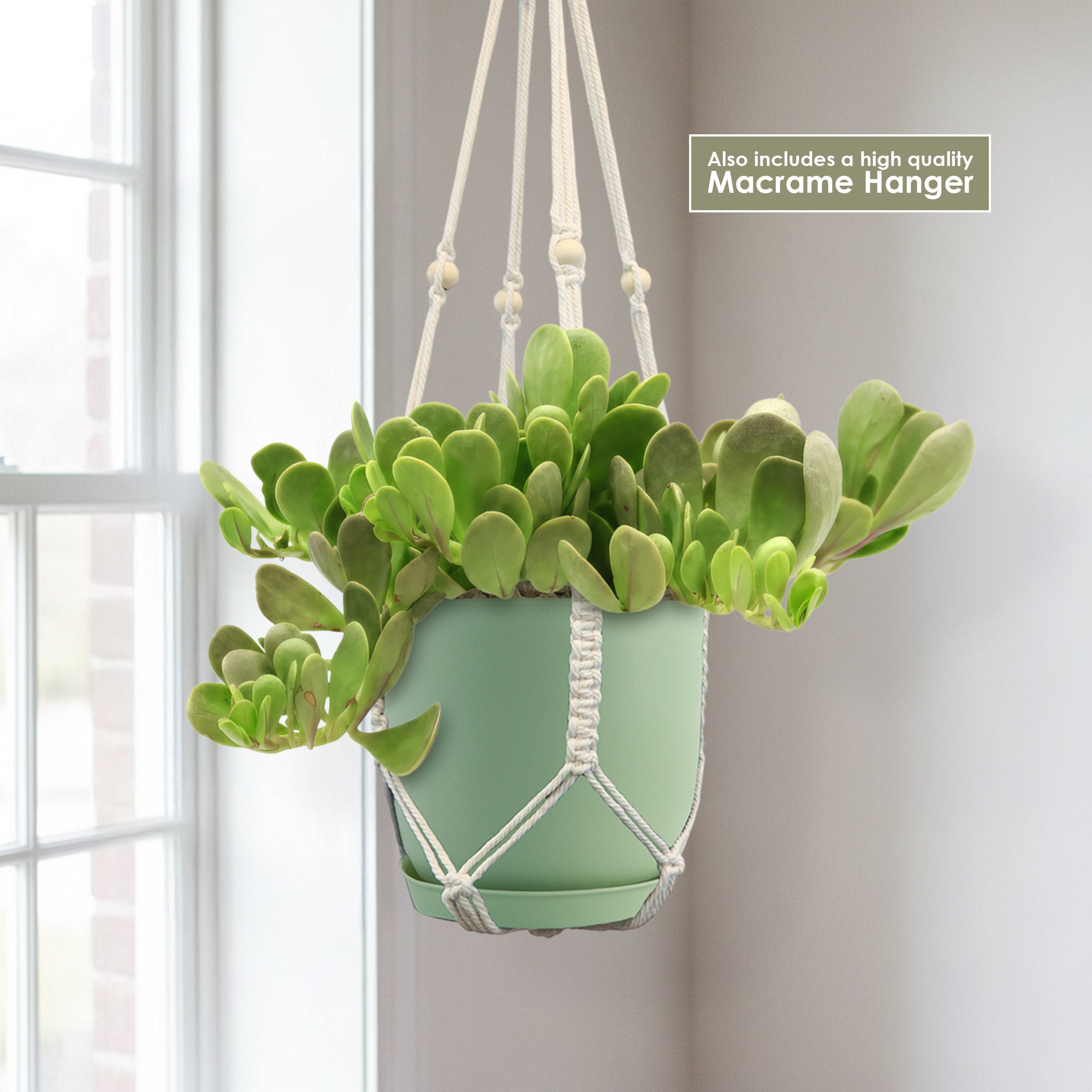
weeping jade plant Trailing Jade 'Senecio jacobsenii' 1 Gal. / Black / With PotIntroducing the trailing jade plant, also known as Senecio jacobsenii, which is a popular hanging trailing succulent. Native to South Africa, it has several other common names such as weeping jade, vining jade, or Kleinia petraea. While it may look similar to the crassula ovata, it's actually not a jade plant. It's a succulent that belongs to the Senecio family. The trailing jade plant features thick stems with egg shaped leaves in a vibrant green
Introducing the trailing jade plant, also known as Senecio jacobsenii, which is a popular hanging/trailing succulent. Native to South Africa, it has several other common names such as weeping jade, vining jade, or Kleinia petraea. While it may look similar to the crassula ovata, it's actually not a jade plant. It's a succulent that belongs to the Senecio family.
The trailing jade plant features thick stems with egg-shaped leaves in a vibrant green hue, that can grow up to 4 feet long, providing a lush and full appearance.
When exposed to chilly weather, the green leaves may turn shades of purple, mauve, or brown, adding a touch of seasonal beauty to your space.
This trailing jade is a fantastic choice for hanging baskets or trailing down from elevated planters.
The trailing jade flowers are small, orange, and bloom in clusters. The flowers are star-shaped and can appear in late summer or early fall. While the flowers are not the main attraction of this plant, they add a lovely touch of color and can attract pollinators like bees and butterflies.
When and How to Water Your Trailing Jade
When it comes to watering, the trailing jade plant stores water in its stems. That means you don't need to water it too often - just make sure the topsoil is completely dried before giving it another drink. This helps avoid overwatering and keeps your Senecio plant healthy and happy.
In the spring and summer, during the growing season, water deeply, allowing the excess water to completely drain out through a drainage hole. In the fall and winter, when the plant is dormant, you can reduce watering to once every two to three weeks.
And get this - any type of water (except hard water) will work just fine. So, whether you use tap, filtered, or even rainwater, your trailing jade will be thriving in your garden in no time. Just remember to avoid hard water since this cactus doesn't like lime very much.
Remember, it's always better to underwater than overwater your succulent plant. Keep an eye on the leaves - if they start to look wrinkled, it's a sign that the plant needs a drink.
Light Requirements - Where to Place Your Senecio jacobsenii
When it comes to indoor lighting, your trailing jade loves bright, indirect light. Find a spot near a west-facing window where it can receive plenty of filtered sunlight throughout the day. Avoid placing it in direct sunlight, as the intense rays can scorch the leaves. If you notice your plant regularly stretching or leaning towards the light, it might be an indication that it needs more brightness.
If you decide to move your trailing jade Senecio jacobsenii outdoors, it will appreciate a location with partial shade. Too much direct sunlight can cause sunburn and damage to the leaves.
Look for a spot that receives a few hours of the morning or late afternoon sun but is shaded during the hottest part of the day. This will provide the plant with the right amount of light it needs to thrive.
Remember, it's always important to monitor your Senecio jacobsenii plant's response to lighting conditions. If the leaves become pale or develop brown spots, it might be a sign that the light is too intense. On the other hand, if the plant starts to stretch or lose its vibrant color, it might need more light.
Optimal Soil & Fertilizer Needs
The trailing jade plant favors very airy, sandy soil that drains well. Planting them in ordinary coarse sand will result in compacted roots, stunted growth, and most likely root rot. Instead of gritty soil, make or buy a well-draining potting mix, or ideally use our specialized succulent potting mix that contains 5 natural substrates and mycorrhizae to promote the development of a strong root system that helps your trailing jade succulent to thrive.
As for fertilizer, trailing jade doesn't require a lot of feeding. During the growing season in the spring, you can fertilize your plant once a year with a balanced (5-10-5), water-soluble NPK fertilizer specifically made for succulents. Follow the instructions for the correct half-strength dilution ratio. Avoid over-fertilizing, as this can lead to salt buildup in the soil, which can harm your plant. During the dormant season in winter, you can hold off on fertilizing altogether.
Hardiness Zone & More
When planted indoors, the trailing jade plant thrives in average room temperatures between 60°F and 75°F. It can tolerate slightly cooler temperatures at night but avoid exposing it to extreme cold or drafts. As for humidity, this plant is adaptable and can handle normal indoor humidity levels, so no need to worry too much about that.
When it comes to outdoor cultivation, there are only a few places in the United States where it grows well outdoors year-round. This Hanging Jade Plant is mostly a popular houseplant but can grow in USDA zones 10 and 11.
In terms of temperature, the trailing plant enjoys warm weather and can tolerate temperatures up to 90°F. However, it's important to provide some shade during the hottest part of the day, especially in regions with scorching summers. It can tolerate drier conditions, but if you live in a very arid climate, you may want to occasionally mist the leaves or place a tray of water nearby to increase humidity.
Wildlife - Senecio jacobsenii Attracts the Following Friendly Pollinators
The Senecio jacobsenii vibrant flowers can attract pollinators like bees and, hummingbirds, butterflies. These pollinators help in the reproduction of the plant by transferring pollen from one flower to another, aiding in seed production and plant growth.
The Trailing Jade is generally considered non-toxic to humans but is mildly toxic to dogs if ingested. It is safe for people to handle, as the plant does not cause skin irritation or other reactions upon touch.
How to Propagate Your Trailing Jade Plant
If you want to propagate the trailing jade Senecio jacobsenii, it can be easily done through stem cuttings. Simply take a healthy stem cutting, let it dry out for a few days to form a callus, then plant it in well-draining soil. The cutting will re-root and grow into a new plant.
Key Takeaways
- Trailing Jade has a beautiful trailing growth habit, making it ideal for hanging baskets and elevated planters where it can cascade elegantly.
- This plant is highly drought-tolerant, thanks to its ability to store water in its thick, succulent leaves, making it resilient during dry spells.
- Senecio jacobsenii should be kept in warm climates or moved indoors during colder months to avoid frost damage.
- With its slow growth rate and low maintenance needs, Trailing Jade is an excellent choice for those seeking an easy-care plant.
- The plant’s fleshy leaves develop striking purple and pink tones when exposed to bright, indirect light, adding a colorful accent to any indoor or outdoor space.
The Bottom Line
Overall, the trailing jade (Senecio jacobsenii) is a stunning succulent that resembles a jade plant but has its own unique charm. With its egg-shaped, green leaves that can grow up to 4 inches long, this plant adds a lush and full look to any space. What makes it even more interesting is that its leaves can change color to shades of purple, mauve, or brown in colder temperatures, adding a touch of seasonal beauty. As for care, this trailing jade prefers bright, indirect light and should be watered sparingly, allowing the soil to dry out between waterings. It's a low-maintenance plant that can tolerate periods of drought, making it a great choice for both indoor and outdoor settings. So, whether you're a succulent enthusiast or a plant lover looking for something unique, the trailing jade Senecio jacobsenii is definitely worth considering.
Shipping Notes
- Free Standard Shipping on $100+ Orders to the USA.
- Except Preorder products are shipped in 48 hours.
- Delivery to the USA:
- Standard Shipping : 3-10 business days
- If time is of the essence, please consider selecting expedited delivery for faster service.
Exchange/Return Notes
- We offer a 30-day return/exchange service after receiving.
- Final sale items are not eligible for returns or exchanges.
- To process your return/exchange, please contact us at [email protected]
- Please click here for more details>>> Return & Exchange Policy