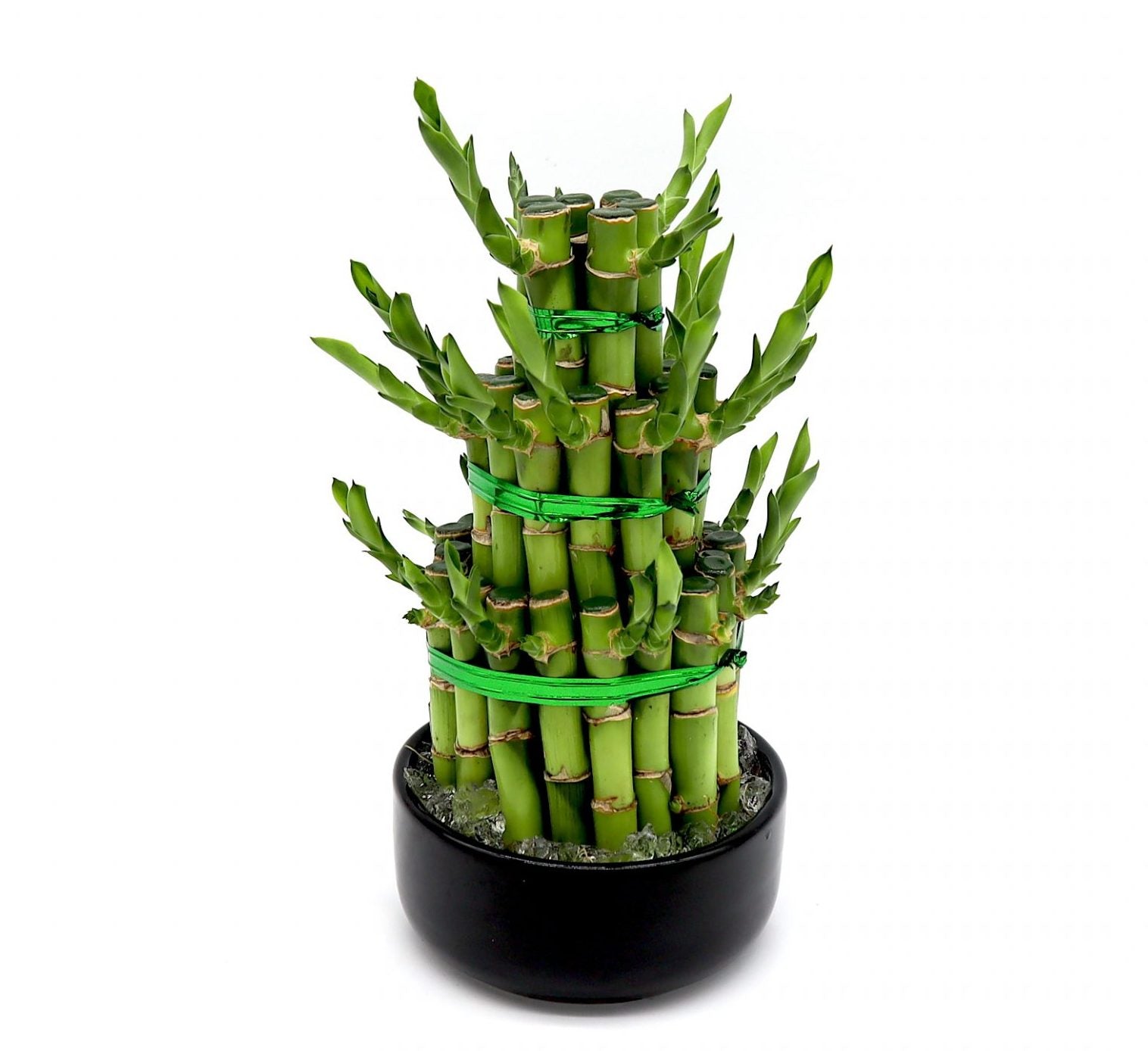
SKU: 4690950277
buy lucky bamboo online

buy lucky bamboo online Best Lucky Bamboo Plants

Sale price$19.00 Regular price$21.11
Save 10%

Shipping Estimate
USA
  • USA
  • CAN

Ships within 48 hours · Estimated delivery Jul 14 - Jul 19

Promo Codes Available:

For Your Every Summer RSVP, with Code: SUMMER15

Description

buy lucky bamboo online Best Lucky Bamboo PlantsSpecifications: Colour: GreenItem Size: 20 30cmDelivery within 1 3 daysEasy Maintenance Description: Are you looking to bring some greenery and positive energy into your home? Look no further than the best lucky bamboo plant for indoor spaces. Lucky bamboo is not only beautiful and easy to care for, but it is also believed to bring good luck and fortune. Whether you have a green thumb or are a beginner plant parent, lucky bamboo is a great choice for

Specifications:

Colour: GreenItem Size: 20-30cmDelivery within 1-3 daysEasy Maintenance 

Description:

Are you looking to bring some greenery and positive energy into your home? Look no further than the best lucky bamboo plant for indoor spaces. Lucky bamboo is not only beautiful and easy to care for, but it is also believed to bring good luck and fortune. Whether you have a green thumb or are a beginner plant parent, lucky bamboo is a great choice for any household.

Why Choose the Lucky Bamboo Plant for Indoor Spaces

lucky bamboo plants offer a range of benefits when placed indoors. Firstly, they are known for their ability to purify the air by removing toxins such as formaldehyde, benzene, and ammonia. This makes them the perfect addition to any home or office space, especially for those who suffer from allergies or respiratory problems. In addition to their air-purifying qualities, lucky bamboo plants are also low-maintenance

They require minimal bamboo care in pots, making them ideal for individuals who do not have a lot of time to dedicate to plant care. Lucky bamboo plant  thrives in low light conditions, making it perfect for those dimly lit corners of your home that need a touch of nature. Its unique stalks and vibrant green leaves add an interesting element to your décor, making it a versatile addition to any room.


Tips for Lucky Bamboo Plant Care

Lucky bamboo plants are relatively low-maintenance, but they still require some care to thrive. Here are some lucky bamboo plant care tips to help you keep your lucky bamboo plant healthy: 

Watering: Lucky bamboo plants should be watered with filtered or distilled water. Fill the container with enough water to cover the roots, but avoid submerging the stalks. Change the water every two to four weeks to prevent the buildup of algae. 

Light: Lucky bamboo plants prefer indirect or low light conditions. Avoid placing them in direct sunlight, as it can scorch the leaves. If you notice the leaves turning yellow, it may be a sign that the plant is receiving too much light. 

Temperature and Humidity: Lucky bamboo plants thrive in temperatures between 65°F and 90°F (18°C to 32°C). They also prefer higher humidity levels, so consider placing a humidifier near the plant or misting the leaves with water.

Fertilizing: Lucky bamboo plants do not require regular fertilization. If you choose to fertilize, use a diluted liquid fertilizer specifically formulated for lucky bamboo plants. Apply the fertilizer sparingly, as over-fertilization can lead to burned roots. 


Shipping Notes
  • Free Standard Shipping on $100+ Orders to the USA.
  • Except Preorder products are shipped in 48 hours.
  • Delivery to the USA:
  1. Standard Shipping : 3-10 business days
  • If time is of the essence, please consider selecting expedited delivery for faster service.
Exchange/Return Notes
  • We offer a 30-day return/exchange service after receiving.
  • Final sale items are not eligible for returns or exchanges.
  • To process your return/exchange, please contact us at [email protected]
  • Please click here for more details>>> Return & Exchange Policy
SKU: 4690950277

Discover Niche Categories That Outsell buy lucky bamboo online

Top-Converting Item to Boost Your Average Order

4.7 ★★★★★
Based on 274 reviews
Sort
Highest Rating
Newest First
Oldest First
Product Reviews
P
Verified Purchase
ProudPapa
Los Angeles, US
★★★★★ 5
Sixty Bucks? Yep. And I'd buy another one.
Color: silver
OK, I had my doubts. Yes, the iLevel2 is highly-reviewed. And yes, it's really (really) important to have your laptop screen at eye level (get it? iLevel?) But spending 60 dollars on an adjustable laptop stand? Couldn't I just pile up a couple of old books for free? Well, as a contractor once told me when I made a really dumb suggestion, "You COULD do it that way..." The iLevel2's main virtue is that the angle/height adjustment knob is rock-solid, as is the platform. It's just an extremely well-made, solid product. And the adjustment knob, which is on a left-right track on the front of the product, allows you to dial in your laptop's screen height to the millimeter. Result: a totally-custom, ergonomically-friendly setup. Love it.
WAS THIS REVIEW HELPFUL?YesReportShare
Reviewed in the United States on December 13, 2024
R
Verified Purchase
Russ
Battle Creek, US
★★★★★ 3
Underwhelming
Color: silver
Too much hype. It just holds the laptop. Buy something cheaper. The slide adjuster isn’t useful to me at all.
WAS THIS REVIEW HELPFUL?YesReportShare
Reviewed in the United States on May 9, 2026
B
Verified Purchase
beth
Omaha, US
★★★★★ 5
Useful but not perfect
Color: silver
Useful, but typing with laptop perched on it is unsteady. I use a separate keyboard.
WAS THIS REVIEW HELPFUL?YesReportShare
Reviewed in the United States on April 2, 2026
V
Verified Purchase
vics
Lowell, US
★★★★★ 5
Why are people trying to type on a laptop stand?
Color: silver
So the overwhelmingly negative reviews you'll notice for this product specifically surround the "bounciness" of this stand when someone is typing on it—however what is confusing to me is how people are purchasing a laptop stand in theory to optimize their ergonomics, yet also stretching their arms out and elevating them to type on said laptop once it's raised. the point of a laptop riser/stand is to elevate the screen so that you can maintain a more natural posture. One would assume you have an external keyboard to use in conjunction with your laptop once you place it on a RISER, because the idea is to elevate your laptop as a SCREEN and then have a level/flat surface to type on, thereby alleviating any awkward hunching or neck strain looking down or anywhere not naturally eye-level. as it is, it's a perfectly functional and elegant laptop riser. I don't find myself wanting to adjust the height often if ever, but in the one or two instances I experimented with it, found no mechanical issues. It looks nice with Apple hardware and allows me to have my laptop's screen flush with the bottom edge of my additional external monitor, so it serves my purposes well. for people complaining about how it bounces when they type on it ... STOP typing on your laptop's keyboard when you have it elevated on a riser! this defeats the purpose and probably also makes your arms tired—buy an external keyboard!
WAS THIS REVIEW HELPFUL?YesReportShare
Reviewed in the United States on December 2, 2020
J
Verified Purchase
Jack Leitner
West Palm Beach, US
★★★★★ 5
Nice Valet tray with Qi standard charger USB-C
Color: Best Dad-brown
I like this valet tray. I'm not fond of the message in the main compartment of the valet tray. It means they expect someone to buy it for their dad. I bought it for myself. What I like is the Qi standard compatibility of the wireless charger. It has many advantages over the wireless chargers that are sold. Most are round circles, so your phone teeters on the odd design. Some want to attach to my phone with some magnetic gimmickry. This valet tray takes a different approach. It has a built-in Qi standard wireless charger that's in a rectangular compartment. The USB-C wire that is USB-C at both ends is faster; that's the advantage of USB-C. It carries more power and higher data speed. But the Qi standard disables charging when the phone is at 100%. This avoids overcharging. It's an excellent design. The charging port is built-in to the side of the valet tray. Just the placement of the indicator light is under the phone. A fully charged phone doesn't trigger charging. It avoids overcharging. There is drawback the shallow USB port doesn't allow proper seating of USB C plugs this puts a lot of weight on a barely plugged wire.
WAS THIS REVIEW HELPFUL?YesReportShare
Reviewed in the United States on September 19, 2025

recommand products