Shipping Estimate
USA
- USA
- CAN
- USA
- CAN
Ships within 48 hours · Estimated delivery Jul 12 - Jul 17
 Promo Codes Available:
For Your Every Summer RSVP, with Code: SUMMER15
Description
succulent propeller plant Propeller Plant 'Crassula falcata' - Order OnlineIf you are looking for a unique and low maintenance succulent plant to add to your collection? Then, look no further than the Propeller plant known as Crassula falcata (or Crassula Perfoliata var. falcata)! This unbranched succulent belongs to the Crassulaceae family and has its origin in South Africa. This Crassula falcata gets its common name, "propeller plant," from the distinct shape of its leaves, which resemble the blades of a propeller. It is
If you are looking for a unique and low-maintenance succulent plant to add to your collection? Then, look no further than the Propeller plant - known as Crassula falcata (or Crassula Perfoliata var. falcata)! This unbranched succulent belongs to the Crassulaceae family and has its origin in South Africa.
This Crassula falcata gets its common name, "propeller plant," from the distinct shape of its leaves, which resemble the blades of a propeller. It is also known as the airplane plant, distinguished by its propeller-shaped leaves, which give it a realistic appearance of taking off. These grey-green leaves with reddish edges are thick, triangular, and curved, which can become more pronounced as the plant grows in plenty of sunlight. It grows as a compact shrub, often reaching a height of 12 inches.
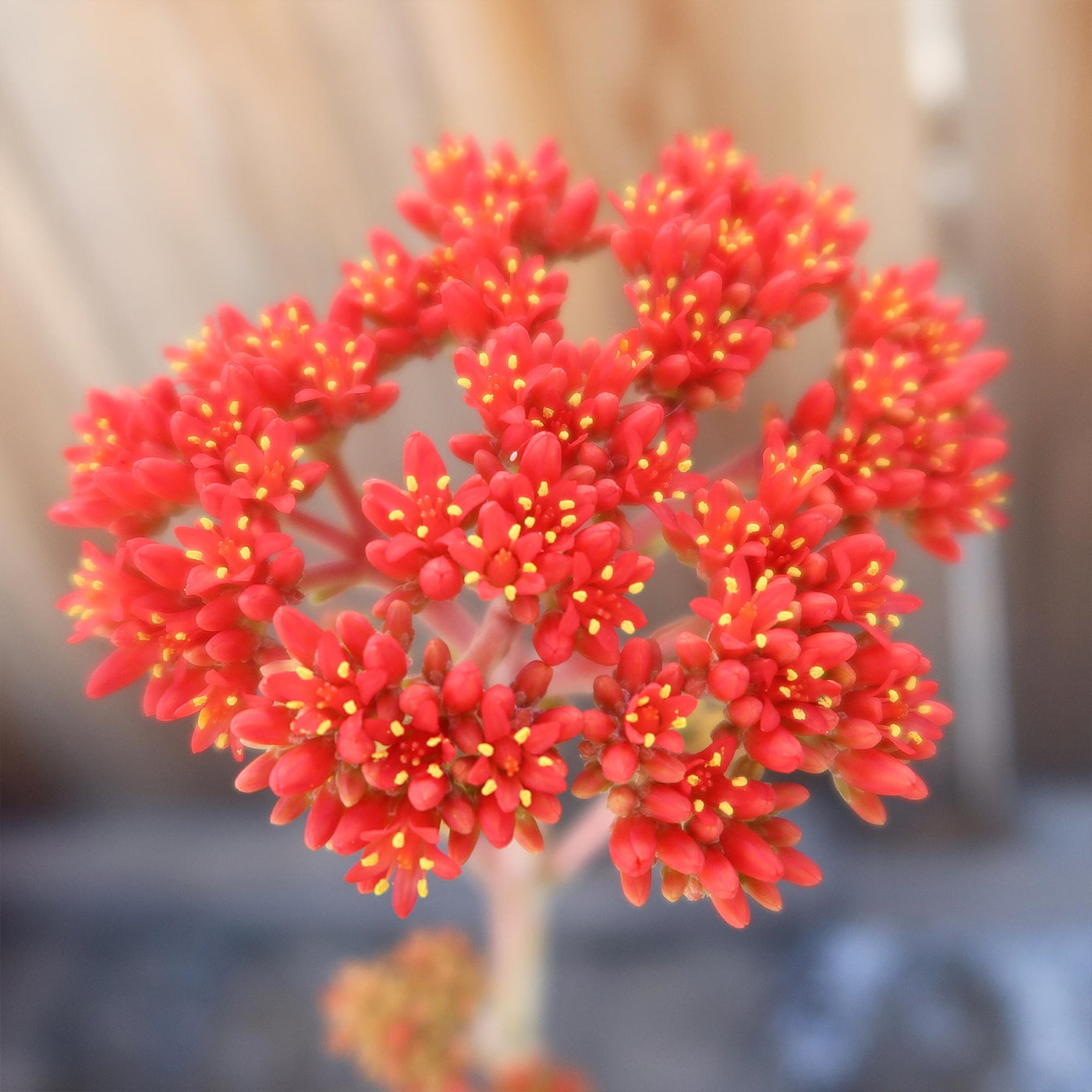
The flowering of the propeller plant begins from late spring to early summer. Once fully bloomed, the star-shaped bright orange-red flowers easily last up to a month. The propeller crassula is easy to bloom but needs cooler conditions to encourage flowering in the summer months. Propeller succulents have a medium growth rate.
To propagate Crassula falcata from stem or leaf cuttings during the spring or late summer of the season; is the best approach to grow healthy propeller Crassula from the mother plant. Additionally, offsets Crassula falcata will self-propagate, growing offsets. This summer dormant plant can be easily propagated and is one of the few succulents that grows well indoors.
The propeller plant (Crassula falcata) is considered friendly to both humans and pets. So, you don't have to worry about any major toxicity issues with this propeller succulent.
Watering Needs
When it comes to watering the Crassula falcata propeller plant, it's important to strike the right balance. This succulent doesn't like to be overwatered, as it can lead to root rot and other issues.
The propeller plant prefers a "soak and dry" watering method. This means that you should thoroughly water your propeller plant, allowing the water to flow out of the drainage holes, and then wait for the soil to dry out completely before watering again. It's crucial to avoid letting the succulent sit in standing water, as this can cause root rot. During the hottest months of the year (summer), your plant may enter a dormant growth phase, which means its water requirements will be lower than usual.
Remember, it's always better to underwater than to overwater this succulent. If you're unsure whether it needs watering, it's best to err on the side of caution and wait for the soil to dry out before giving it a drink. Observing the plant and checking the moisture level of the soil will help you determine the watering needs more accurately.
Light Requirements
For the best growth, this propeller plant should be exposed to full sun to partial sun. If growing indoors, it prefers a spot where it can get a good amount of bright, indirect sunlight, but not direct sunlight for prolonged periods. Placing it near a window with a sheer curtain or in a well-lit room would be ideal.
If you notice that the leaves of your propeller plant are stretching or leaning toward the light source, it's a sign that it needs more bright sunlight. On the other hand, if the leaves start turning yellow or brown, they may be getting too much direct sunlight.
Remember, finding the right balance is key. You want to provide enough light for your propeller plant to grow and thrive, but also protect it from intense, direct sunlight that can scorch its leaves.
Optimal Soil & Fertilizer Needs
Crassula falcata grows healthily in well-drained soil. Use a well-drained specialty soil mix, as this type of potting soil mix has been precisely developed to imitate well-draining desert soils. Commercial succulent soil is affordable and accessible online. Here at Planet Desert, we have a specialty-formulated succulent potting mix that contains 5 natural substrates and organic mycorrhizae to promote the development of a strong root system that helps your propeller plant to thrive.
As for fertilizer, the propeller plant doesn't require heavy feeding. You can use a balanced, water-soluble NPK fertilizer formulated. During the growing season (spring), fertilize your plant once a year. It's important not to over-fertilize your propeller plant, as this can cause excessive growth and weaken the plant. Always err on the side of caution and use a little less fertilizer than recommended, especially if your plant is in a small pot.
Hardiness Zones & More
The Crassula falcata propeller plant is native to South Africa; it is not cold hardy in general, but it can be grown outside in USDA hardiness zones 9-11. It prefers warm temperatures and can tolerate a range of temperatures between 50°F and 85°F. However, it is important to protect it from frost and freezing temperatures, as they can damage or kill the plant.
In terms of humidity, the propeller plant is adaptable and can tolerate a range of humidity levels. It can thrive in average indoor humidity, but it also does well in drier conditions. However, it's important to note that excessively dry air can cause the leaves to shrivel, so it's a good idea to provide some moisture through occasional misting or placing a tray of water near the plant to increase humidity.
Remember, providing the right temperature and humidity conditions can help your propeller plant thrive and stay healthy.
Give this succulent a try if you're looking for an easy Crassula falcata propeller plant to care for!
Shipping Notes
- Free Standard Shipping on $100+ Orders to the USA.
- Except Preorder products are shipped in 48 hours.
- Delivery to the USA:
- Standard Shipping : 3-10 business days
- If time is of the essence, please consider selecting expedited delivery for faster service.
Exchange/Return Notes
- We offer a 30-day return/exchange service after receiving.
- Final sale items are not eligible for returns or exchanges.
- To process your return/exchange, please contact us at [email protected]
- Please click here for more details>>> Return & Exchange Policy