Shipping Estimate
USA
- USA
- CAN
- USA
- CAN
Ships within 48 hours · Estimated delivery Jul 11 - Jul 16
 Promo Codes Available:
For Your Every Summer RSVP, with Code: SUMMER15
Description
areca palm mother in law's tongue and money plant Buy Mother in Laws Tongue Phoenix, AZ | SansevieriaThe Toughest Indoor Outdoor Plant for Phoenix Homes Mother in Law's Tongue Mother in Law's Tongue (Sansevieria trifasciata) is the single most indestructible plant you can grow in the Phoenix Valley. This upright, sword leafed succulent thrives in full sun patios, shaded entryways, bright indoor rooms, and dim office corners it simply does not care. Native to tropical West Africa, Sansevieria has adapted to survive extreme drought, low light, and
The Toughest Indoor-Outdoor Plant for Phoenix Homes — Mother in Law's Tongue
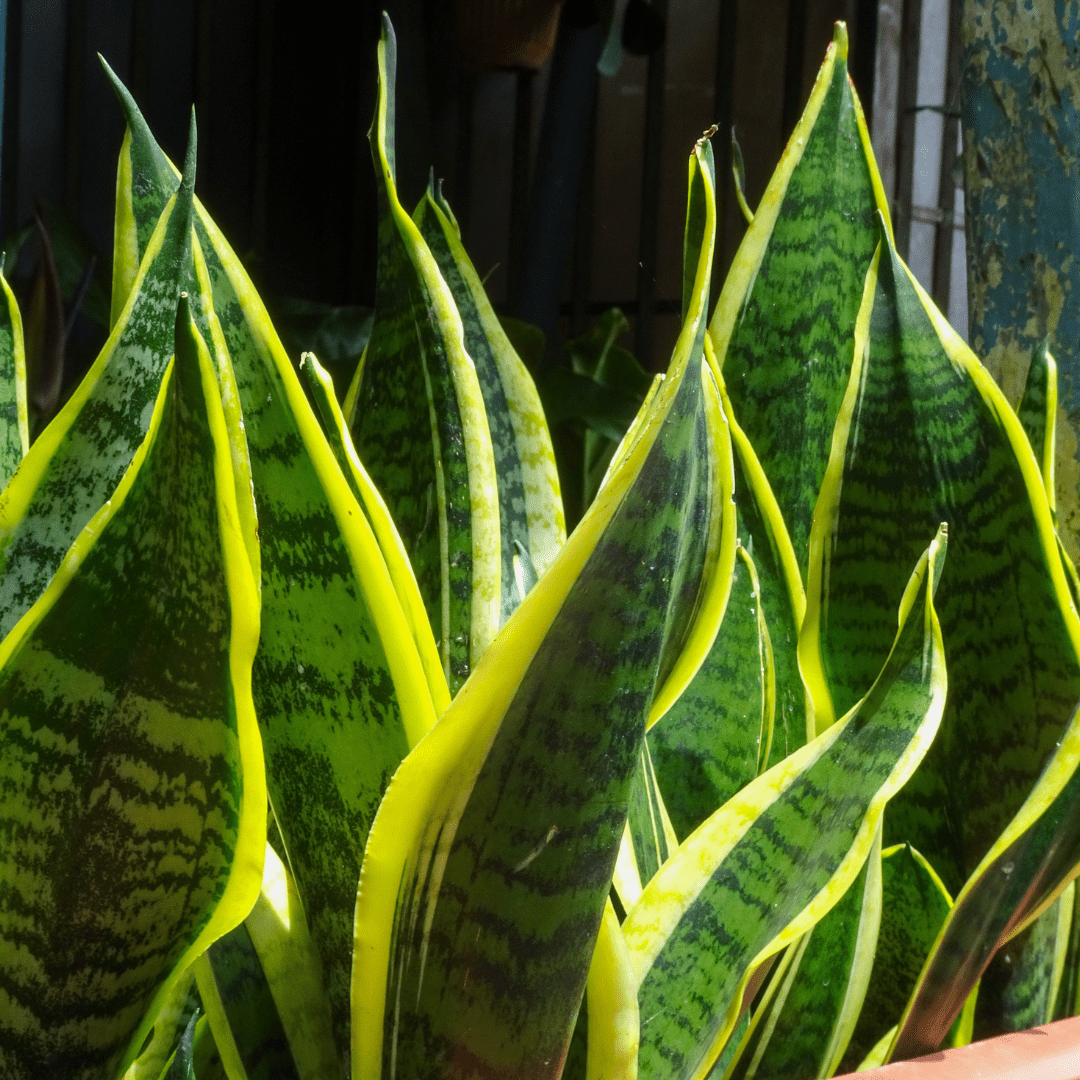
Mother in Law's Tongue (Sansevieria trifasciata) is the single most indestructible plant you can grow in the Phoenix Valley. This upright, sword-leafed succulent thrives in full sun patios, shaded entryways, bright indoor rooms, and dim office corners — it simply does not care. Native to tropical West Africa, Sansevieria has adapted to survive extreme drought, low light, and total neglect, making it the perfect choice for busy Scottsdale homeowners, Mesa rental properties, Gilbert office lobbies, and Chandler covered patios where other plants give up.
Mother in Law's Tongue Plant Details
| Attribute | Detail |
|---|---|
| Scientific Name | Sansevieria trifasciata (syn. Dracaena trifasciata) |
| Common Names | Mother in Law's Tongue, Snake Plant, Sansevieria, Saint George's Sword |
| Mature Height | 2–4 feet |
| Mature Width | 1–2 feet (clumping, spreads by rhizomes) |
| Growth Rate | Slow to moderate — 2–4 new leaves per year |
| Sun | Full sun to deep shade. Tolerates any light condition. |
| Water | Very low. Extremely drought-tolerant. Overwatering is the #1 killer. |
| USDA Zones | 9–12 (Phoenix is Zone 9b–10a — protect from hard frost below 32°F) |
| Soil | Well-draining required. Adapts to Arizona caliche soils with added sand or gravel. |
| Foliage | Evergreen — stiff, upright sword-shaped leaves with green-yellow variegation |
| Bonus | NASA-proven air purifier — removes formaldehyde, benzene, and xylene |
Mother in Law's Tongue Uses in Phoenix Landscapes
Covered Patios & Shaded Entryways
Mother in Law's Tongue is the top pick for Phoenix covered patios, north-facing entries, and shaded courtyards where most plants struggle. The upright, architectural form adds clean modern lines to outdoor living spaces in Scottsdale, Paradise Valley, and Chandler. Group 3–5 plants in matching pots for a designer-look patio border, or plant directly in a shaded landscape bed along a covered walkway.
Indoor Accent & Office Plant
Snake Plant is one of the few plants that actually thrives in air-conditioned indoor environments. Place it in a bright window, a dim hallway, or a fluorescent-lit office in Mesa or Tempe — it performs in all conditions. Its air-purifying qualities make it a smart choice for bedrooms, home offices, and commercial lobbies across the Phoenix Valley.
Modern Desert Container Plantings
The bold vertical leaves of Sansevieria look striking in sleek concrete, ceramic, or metal planters. Use a single large specimen as a patio focal point, or line up matching containers along a Gilbert pool fence or Peoria outdoor kitchen. Container planting also makes it easy to move indoors during rare hard freezes.
Low-Maintenance Ground Cover & Border
Planted en masse in a shaded landscape bed, Mother in Law's Tongue creates a dense, low-water ground cover that never needs mowing. Space 12–18 inches apart for a filled-in border within 2 seasons. Works beautifully under Desert Museum Palo Verde trees or along shaded property walls.
Best Time to Plant Mother in Law's Tongue in Phoenix
Spring (March–May) is the ideal planting window. Warm soil and long days fuel rapid root establishment. Fall (October–November) is the second-best option. Avoid planting outdoors in winter — Sansevieria is frost-sensitive and should be protected or brought inside when temperatures drop below 32°F.
How to Plant Mother in Law's Tongue
- Dig wide, not deep — 2x the root ball width, same depth. Sansevieria has shallow rhizome roots.
- Ensure drainage — break through any caliche layer. Add coarse sand or perlite if soil holds water.
- Backfill with native soil — a 50/50 mix of native soil and coarse sand is ideal for in-ground planting.
- Spacing — 12–18 inches apart for a border or mass planting; 2+ feet for standalone specimens.
- No water basin — Sansevieria prefers to dry out quickly. Skip the soil ring.
- Gravel mulch — 2 inches of decomposed granite. Avoid organic mulch that traps moisture against the base.
Watering Mother in Law's Tongue in Phoenix
First Year Watering Schedule
- Weeks 1–2: Water once, deep soak, then let soil dry completely before watering again (5–7 days).
- Months 1–3: Every 10–14 days in warm months.
- Months 4–12: Every 2–3 weeks. Let the top 2 inches of soil dry between waterings.
- After Year 1: Every 3–4 weeks in summer; monthly or less in winter. Outdoor plants in shade may need no supplemental water in winter.
Drip Irrigation
Place 1 emitter (0.5–1 GPH) 6 inches from the base. Sansevieria is far more likely to die from overwatering than underwatering. If leaves turn mushy or yellow at the base, you're watering too much. When in doubt, skip a cycle. Indoor plants in pots should be watered only when soil is completely dry — typically every 2–4 weeks.
Can Mother in Law's Tongue survive outdoors in Phoenix year-round?
Yes, in most of the Valley. It thrives outdoors in covered, frost-protected areas. During rare hard freezes (below 32°F), either cover the plant with frost cloth or move containers indoors. In most Phoenix winters, it handles outdoor conditions just fine.
Is Snake Plant toxic to pets?
Yes, Sansevieria is mildly toxic to dogs and cats if ingested. It typically causes nausea and vomiting. If you have curious pets, place the plant on an elevated surface or choose a pet-friendly alternative.
How do I propagate Mother in Law's Tongue?
The easiest method is division — separate the rhizome clumps when repotting. You can also propagate from leaf cuttings placed in well-draining soil, though this takes 2–3 months to root. Division gives you an instant new plant.
Why is my Snake Plant not growing?
In Phoenix, the most common reasons are overwatering (causes root rot) and too much direct summer afternoon sun (causes leaf burn). Move to bright indirect light or morning sun, reduce watering, and growth should resume in spring.
You May Also Like
- Elephant's Ear — bold tropical foliage for shaded Phoenix patios and entryways.
- Flapjacks — another tough succulent with dramatic paddle-shaped leaves that pairs well with Snake Plant.
- Blue Elf Aloe — a compact, colorful aloe that thrives in the same containers and landscape beds.
- Ponytail Palm — an architectural indoor-outdoor plant with similar indestructible qualities.
- Firestick Euphorbia — adds vivid color contrast next to Snake Plant's green-yellow foliage.
How Many Mother in Law's Tongue Do I Need?
Snake Plant clumps stay narrow, just 1 to 2 feet wide, and spread slowly by rhizome, so it is planted in groups for a border, a mass bed, or matching containers. Space plants 12 to 18 inches apart and they knit into a filled border within about two seasons. Use this table to size a shaded bed or border run.
| Border / bed length | Spacing 12 in | Spacing 18 in |
|---|---|---|
| 10 ft | 10 plants | 7 plants |
| 20 ft | 20 plants | 14 plants |
| Container cluster | 3 to 5 plants per large pot for instant fullness | |
Mother in Law's Tongue Season-by-Season in Phoenix
- Spring (Feb to Apr): Best planting window. Warm soil and long days push 2 to 4 new upright leaves and any rhizome spread for the year.
- Summer (May to Sep): Thrives in heat under cover or bright shade. Direct west afternoon sun can scorch the leaves, so give it morning sun or filtered light. Monsoon humidity is fine as long as the soil drains and the base dries out between waterings.
- Fall (Oct to Nov): Good secondary planting season. Growth slows as nights cool.
- Winter (Dec to Jan): This is the one weak spot. Sansevieria is frost-sensitive and leaves turn mushy below about 32F. Cover with frost cloth on freeze nights or grow it in pots you can pull under cover or indoors.
At a Glance
✔ Drought-Tolerant ✔ Evergreen ✔ Low-Maintenance ✔ Pool-Friendly (Low-Litter) ✔ Fire-Wise ✔ Deer & Rabbit-Resistant ✔ Spineless
Plant It With
- African Spear: a cylindrical Sansevieria cousin that layers texture in the same shaded bed.
- Elephant's Ear: bold broad foliage for a tropical, shaded-patio pairing.
- Flapjacks: paddle-shaped succulent that contrasts the upright sword leaves.
- Ponytail Palm: another tough, sculptural indoor-outdoor plant with the same care needs.
Is Mother in Law's Tongue Right for Your Yard?
Snake Plant is ideal for covered patios, north entries, shaded courtyards, and indoor rooms anywhere in the Valley, in fast-draining soil or a pot where the roots dry out between waterings. It is not a fit for an exposed west-facing bed in full afternoon sun, a low spot that stays wet, or a frost-exposed location you cannot cover in winter. It is also mildly toxic to pets if chewed, so keep it out of reach of curious dogs and cats.
Shipping Notes
- Free Standard Shipping on $100+ Orders to the USA.
- Except Preorder products are shipped in 48 hours.
- Delivery to the USA:
- Standard Shipping : 3-10 business days
- If time is of the essence, please consider selecting expedited delivery for faster service.
Exchange/Return Notes
- We offer a 30-day return/exchange service after receiving.
- Final sale items are not eligible for returns or exchanges.
- To process your return/exchange, please contact us at [email protected]
- Please click here for more details>>> Return & Exchange Policy